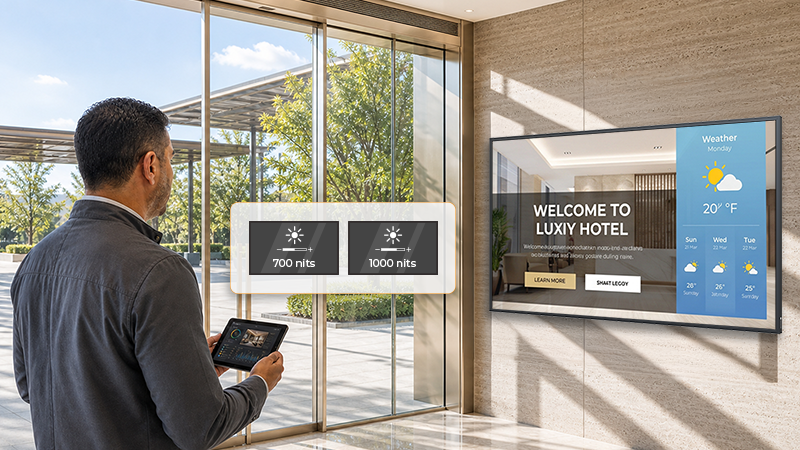
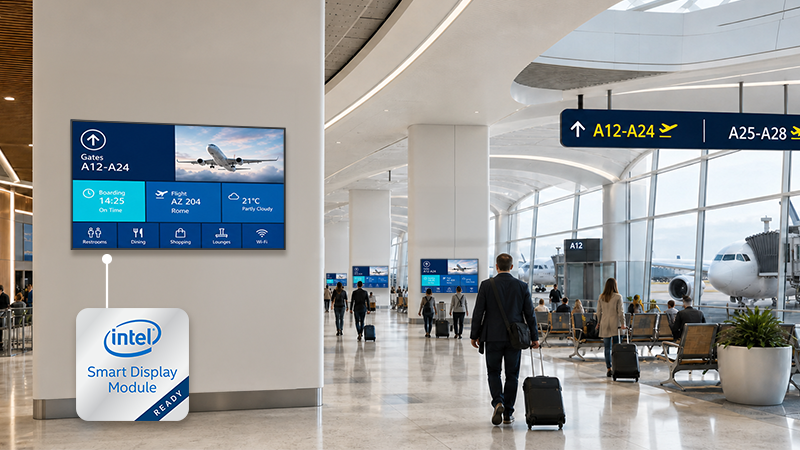
Intel® Smart Display Module, commonly known as Intel® SDM, gives commercial digital signage projects another way to integrate a computing layer into a display. Instead of using only an external media player, mini PC, or industrial PC connected outside the screen, an SDM-ready display allows a compatible Intel SDM module to be installed directly inside the display.
For system integrators, channel partners, IT teams, and businesses planning multi-display digital signage deployments, this creates an important planning question: should the signage system use an external media player setup, or should the module be integrated into the display through Intel SDM?
The answer depends on the project. A retail store, airport gate, hospital lobby, corporate campus, transportation hub, or public information area may each have different requirements for CMS software, installation space, cable management, service access, I/O, and long-term upgrade planning.
This article explains how Intel SDM works in digital signage, how SDM-ready displays compare with external media players, and when each architecture may fit a professional commercial signage project.
Intel SDM stands for Intel Smart Display Module. It is a standardized modular computing format designed for compatible displays.
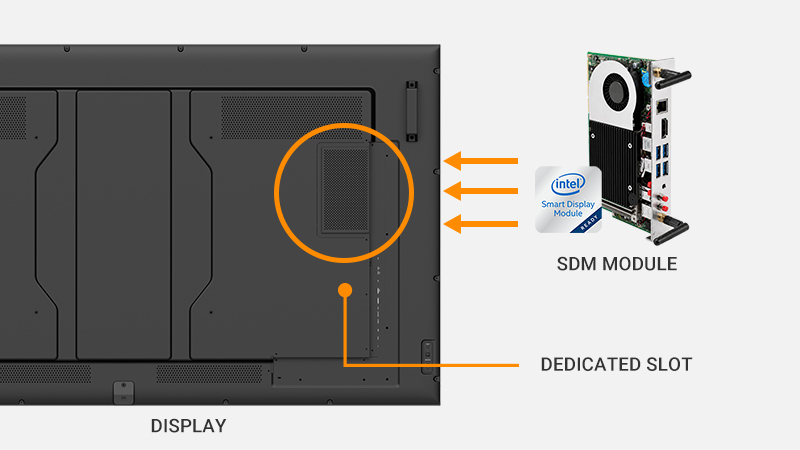
An SDM-ready display includes a dedicated slot that allows a compatible Intel SDM module to be installed inside the display. The display provides the screen, visual performance, connectivity, installation flexibility, and professional control. The SDM module provides the computing layer for CMS software, signage playback, web applications, or other supported systems.
This makes Intel SDM different from a fixed built-in media player. With an SDM-ready display, the module can be selected, configured, serviced, replaced, or upgraded separately from the display, subject to compatibility and project requirements.
In digital signage, Intel SDM can be used when a project needs an integrated, modular display-side setup without permanently tying the display to one fixed internal platform.
A commercial display is responsible for showing content clearly and reliably. But the display also needs a source that tells it what to show.
That source may be a CMS player, Android box, Windows mini PC, industrial PC, built-in SoC platform, AV-over-IP receiver, or Intel SDM module. This computing layer may handle content scheduling, CMS playback, web-based signage, flight information, menu boards, promotional content, wayfinding, or internal communications.
For a small installation, using one external player behind one display may be simple enough. But as projects expand across multiple screens, public areas, buildings, branches, or service locations, the display-side setup becomes more important.
Teams need to consider where the player is installed, how it is powered, how cables are managed, how the device is serviced, and whether the same setup can be repeated across displays and locations.
The key question is not only whether the screen can play content. The better question is:
Which computing setup is easier to install, manage, service, and upgrade over time?
An external media player setup uses a separate playback or computing device connected to the display.
In digital signage, “external media player” can refer to different types of devices, including CMS players, Android players, Windows mini PCs, industrial PCs, or dedicated signage playback devices. These devices are usually connected to the display through HDMI, DisplayPort, USB-C, or another AV connection.
External media players are widely used because they offer flexibility. A project may already have an approved CMS player, a preferred operating system, special I/O requirements, or a hardware platform that must be used across the signage network.
External devices can be installed behind the display, mounted nearby, placed in an equipment cabinet, or managed from a rack-based setup depending on the site design.
This approach can be a strong fit when the project requires specialized hardware, existing player compatibility, custom peripherals, centralized equipment placement, or computing power beyond what a selected SDM module provides.
For a broader comparison of built-in and external-player architectures, see AG Neovo’s All-in-One Digital Signage Display vs. External Media Player guide
Both Intel SDM-ready displays and external media players can support professional digital signage. The difference is not simply whether the player is inside or outside the screen. The real difference is how the computing layer is installed, serviced, and upgraded.
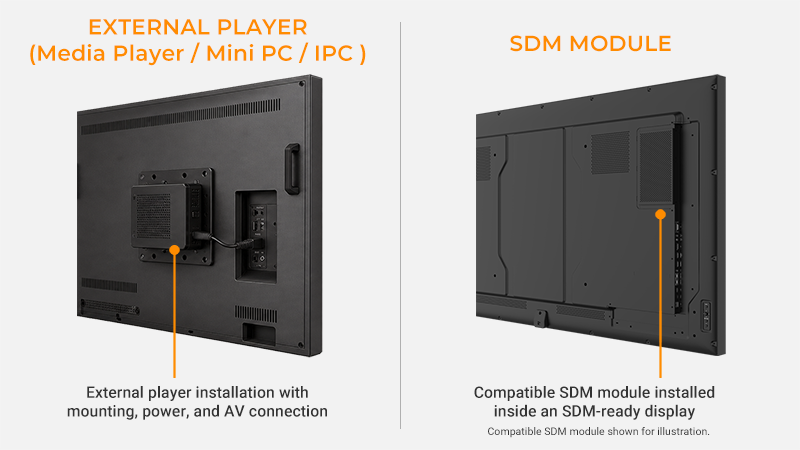
| Project Consideration | SDM-Ready Display | External Player (media player / mini PC / IPC) |
| Installation location | Compatible Intel SDM module installed inside the display | Separate device installed outside the display |
| Deployment approach | A compatible module format can be specified across SDM-ready displays | Player model, mounting, power, and AV connection are specified as part of the external installation |
| Existing platform | Requires a compatible SDM module and supported software environment | Can retain an existing CMS player, mini PC, IPC, or approved software platform |
| I/O and device integration | Depends on the selected SDM module | Can be selected according to specialized I/O, peripherals, or device-integration requirements |
| Service and future changes | Compatible module can be replaced or upgraded separately from the display | External player hardware can be replaced or upgraded separately from the display |
It is important to clarify what Intel SDM does and does not do.
Intel SDM does not replace a CMS. It does not decide which content appears on each screen. It does not automatically synchronize content across multiple displays. It does not distribute one HDMI signal to many screens.
Intel SDM provides a standardized module format that can support a more consistent display-side setup when the same compatible configuration is specified across the project. Content scheduling, data integration, synchronization, and signal distribution remain the responsibility of the CMS, software platform, AV system, or information system used in the project.
Planning a multi-display signage deployment? Explore AG Neovo Professional Commercial Displays.
An Intel SDM-ready display is a strong fit when the project benefits from a cleaner and more consistent display-side computing setup.
For example, a signage network may use the same compatible SDM module across multiple displays. This can make installation more repeatable because each screen follows a similar hardware structure. The module can be prepared before installation, inserted into the display, and serviced according to a defined process.
This approach can help reduce external device clutter, especially in public-facing spaces where cables, brackets, power adapters, and player boxes are difficult to hide or access.
Intel SDM-ready displays can also be useful when screens are installed in high or hard-to-reach locations. If the computing layer needs to be replaced or upgraded later, service teams can work with the module instead of replacing the entire display.
The main value of Intel SDM-ready displays can be summarized in three areas:
Standardized Display-Side Computing
Compatible Intel SDM modules can help create a more consistent playback and computing setup across displays.
Cleaner Display-Side Installation
The computing module is integrated into the display, helping reduce external boxes, exposed cables, separate power adapters, and mounting complexity.
Replaceable and Upgradeable Computing Layer
When software, OS, performance, or security requirements change, the compatible module can be replaced or upgraded separately from the display.
External media players remain important in many signage projects.
They may be the better choice when a project already uses a specific CMS player, approved hardware platform, or existing player fleet. Some organizations have software licenses, IT policies, support procedures, or procurement standards built around external devices.
External players may also be preferred when the project requires specialized I/O, non-standard peripherals, higher computing or graphics performance, or rack-based installation.
For example, a transportation project may need an industrial PC connected to multiple data systems. A retail chain may already use a dedicated CMS player across hundreds of stores. A control room or public facility may prefer centralized equipment placement instead of placing computing hardware inside each display.
In these cases, an external media player setup may provide more flexibility for specific integration requirements.
The best approach is not to assume Intel SDM replaces every external device. The best approach is to choose the computing architecture that fits the project.
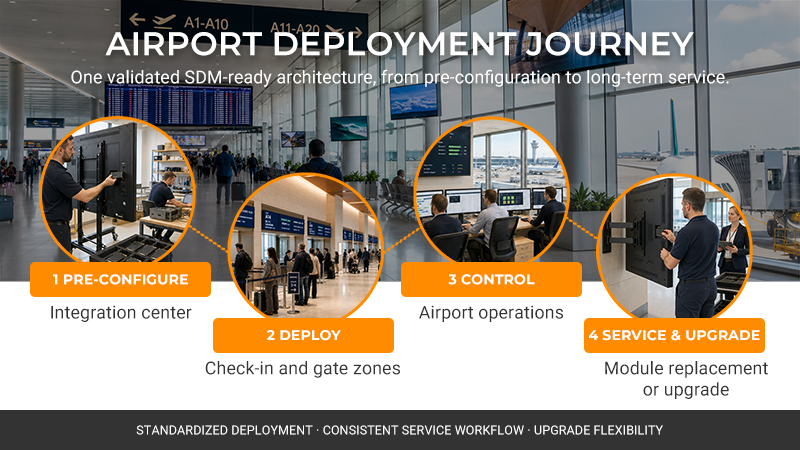
An airport gate deployment is a useful example.
Each gate display may show different flight information for its assigned gate. Gate A1 may show one boarding status, while Gate A2 shows another flight, Gate A3 shows a delay notice, and Gate A4 shows a final call. This is not the same as sending one HDMI source to many displays.
Each screen needs its own way to receive, process, and play the right information from the airport’s flight information or signage system. That playback setup could be an external media player, a built-in SoC platform, an AV-over-IP receiver, or an SDM module.
With SDM-ready displays, each gate can still show its own assigned content while using a more standardized display-side hardware setup. The value is not content duplication; it is standardizing how the computing layer is deployed from screen to screen.
Before specifying an SDM-ready display, confirm that the display model supports the required SDM format and that the selected module matches the project requirements.
Check SDM-S or SDM-L compatibility, operating system support, CMS or signage software compatibility, performance requirements, power and thermal conditions, network and IT security policies, licensing, and service access after installation.
Also consider how the displays themselves will be controlled and maintained. Playback hardware integration and display management are related, but they are not the same task. A good deployment plan should account for both.
Looking for an SDM-ready display for your project? View AG Neovo Professional Commercial Displays.
AG Neovo PD Series professional commercial displays are designed for business and public indoor environments that require reliable visual communication.
Selected PD Series models support Intel SDM-ready integration, allowing compatible Intel SDM modules to be installed inside the display. This gives system integrators and businesses an embedded option when they want a cleaner, more consistent display-side setup.
At the same time, PD Series also supports external media player workflows through flexible connectivity options. This allows projects to use existing CMS players, mini PCs, IPCs, or other external playback devices when the application requires a separate computing platform.
This flexibility matters because signage projects are rarely one-size-fits-all. Some installations benefit from Intel SDM-ready embedded computing. Others require external devices because of software, I/O, IT, or service requirements.
With 4K resolution, high-brightness options, selected 24/7 operation, anti-glare treatment, LAN, RS232, RS232 daisy-chain capability, and portrait or landscape installation, PD Series supports professional signage applications in transportation, retail, hospitality, healthcare, corporate, and public indoor environments.
For integrators and businesses planning long-term signage networks, PD Series provides the flexibility to choose the computing setup that fits the project, while maintaining the display performance and control features needed for professional commercial use.
Next step: Explore AG Neovo Professional Commercial Displays
Intel Smart Display Module, or Intel SDM, is a standardized modular computing format for compatible displays. A compatible SDM module can be installed inside an SDM-ready display to provide the computing platform for signage software, CMS applications, or operational systems.
It helps system integrators define a repeatable display-and-computing architecture. A validated module, software configuration, and display-control workflow can be replicated across multiple screens and locations.
In many cases, yes. The modular design allows the compatible computing module to be assessed, replaced, or upgraded separately from the commercial display, subject to compatibility and project requirements.
No. An all-in-one signage display generally uses a built-in operating platform. An SDM-ready display provides a dedicated slot for a separate, replaceable computing module.
External players may be suitable when the project requires specialized I/O, non-standard peripherals, a specified player platform, centralized rack-based installation, or computing and graphics capabilities beyond those provided by the selected SDM module. This may include a CMS player, mini PC, or industrial PC, depending on the project requirements.
Confirm SDM module compatibility, CMS and operating-system requirements, display resolution, I/O requirements, network and security policies, software licensing, thermal conditions, and the display-control workflow.
SDM-ready displays are well suited to multi-display projects that need a repeatable deployment architecture across multiple locations, such as airports, retail networks, transportation facilities, and corporate environments. They are particularly useful when the project needs to standardize installation and service procedures while retaining the option to replace or upgrade compatible computing modules over time.




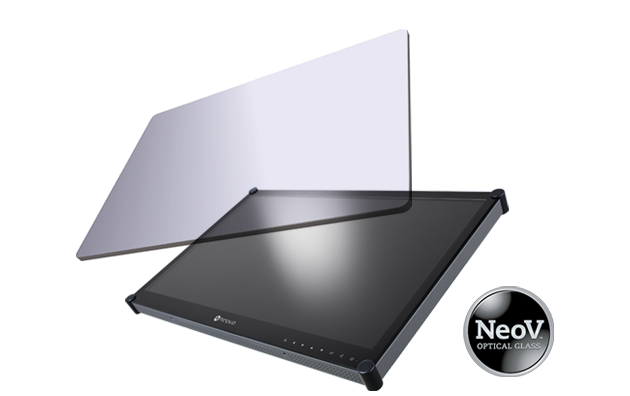 NeoV™ Optical Glass Screen
 Anti-Burn-in™ Technology